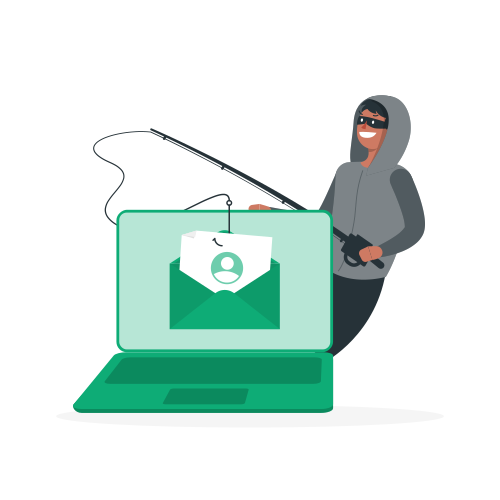
A VPN protects your connection, not your judgment. It encrypts your traffic and hides your IP address, but it has no visibility into the content of an email, no way to tell a fake banking login page from a real one, and no mechanism to stop you from typing a password into a form that shouldn’t have it. If you’re relying on a VPN to protect you from phishing specifically, it’s the wrong tool for that job.
What a VPN actually does at the network level
A VPN creates an encrypted tunnel between your device and the VPN server, then routes your traffic out through that server’s IP address. This stops your ISP, anyone on the same public Wi-Fi network, and websites you visit from seeing your real IP address or reading unencrypted traffic in transit.
That’s genuinely valuable protection against a specific set of threats: network-level snooping, IP-based tracking, and geographic restrictions. But phishing doesn’t target the network layer. It targets you, through a convincing fake email, message, or website designed to trick you into handing over credentials or personal information voluntarily.
Why phishing gets through a VPN unaffected
A phishing email arrives in your inbox the same way whether or not a VPN is running, because a VPN doesn’t filter email content or scan message bodies for scam indicators. If you click a link in that email and land on a fake login page, the VPN encrypts your connection to that fake page just as reliably as it would encrypt a connection to the real one. Encryption protects the data in transit; it says nothing about whether the destination itself is trustworthy.
This is the core misunderstanding worth clearing up: a VPN’s encryption protects against interception, not deception. A perfectly encrypted connection to a scam site is still a connection to a scam site.
What does help against phishing
Email filtering and spam detection. Most major email providers already run reasonably effective phishing detection, and keeping that filtering enabled catches a large share of obvious attempts before they reach your inbox at all.
Checking URLs before entering credentials. Hovering over a link before clicking, or checking the address bar carefully after landing on a page, catches the mismatched or slightly-off domains that most phishing attempts rely on.
Multi-factor authentication. Even if a phishing attempt successfully captures your password, MFA adds a second barrier that stops the attacker from actually accessing the account, provided you don’t also approve the fraudulent MFA prompt itself.
A password manager. Password managers only autofill credentials on the exact legitimate domain they were saved for. If a fake login page doesn’t trigger the autofill prompt you expect, that’s a real, practical signal something is wrong, arguably a more reliable indicator than eyeballing a URL under time pressure.
Basic skepticism about urgency. Phishing relies heavily on manufactured urgency: your account will be suspended, a payment failed, someone needs immediate action. Slowing down and verifying through a separate, known channel before acting defeats a large share of attempts regardless of how convincing the message looks.
Where a VPN does play a supporting role
A VPN isn’t useless in the broader security picture, it’s just not the tool for this specific threat. On public Wi-Fi, a VPN prevents a different kind of attack: a malicious actor on the same network intercepting your traffic or running a fake Wi-Fi hotspot to capture data directly. That’s a real and separate risk from phishing, and a VPN genuinely mitigates it.
Some VPN providers also bundle additional features beyond core VPN functionality, such as ad and tracker blocking, or basic malicious domain blocklists that can catch some known phishing and malware domains before you even load them. That’s a real, if partial, layer of protection, but it comes from the additional feature, not from the VPN tunnel itself.
Want to compare all VPNs side by side? Check our full VPN comparison table with scores across 18 criteria.
VPNs with useful bundled protection
NordVPN’s Threat Protection feature blocks known malicious domains, including some phishing sites, in addition to ads and trackers, at the DNS level before your browser even loads the page. It’s not a replacement for careful judgment, but it adds a meaningful extra layer that a bare VPN tunnel doesn’t provide on its own.
ProtonVPN, built by the team behind Proton Mail, also brings a security-first mindset to its broader product suite, including Proton Mail’s own phishing detection for email specifically, which is a more directly relevant tool for that threat than the VPN component alone.
Spear phishing and why it’s harder to catch
Generic phishing emails, mass-sent and riddled with obvious tells, are increasingly filtered out before you ever see them. Spear phishing is a different, more dangerous category: a targeted message crafted specifically around you, referencing a real coworker, a real project, or a real recent transaction, which makes the usual red flags far less obvious. A VPN offers exactly the same amount of protection against spear phishing as it does against generic phishing, which is to say none at the content level, because the targeting and personalization happen entirely outside anything a VPN can see or influence.
This is worth stating plainly because spear phishing is often the entry point for more serious incidents: business email compromise, credential theft leading to account takeover, or a foothold used for a broader network intrusion. The sophistication of the targeting has no bearing on what a VPN can do about it, since the vulnerability being exploited is trust and attention, not network visibility.
Recognizing a phishing attempt without relying on any tool
A few consistent patterns show up across most phishing attempts regardless of sophistication. A sense of urgency or a threatened consequence, your account will be locked, a payment is overdue, action is needed within hours, is designed specifically to short-circuit careful evaluation. A request that arrives through an unusual channel for that particular relationship, a bank suddenly texting instead of using its normal secure messaging, is worth treating with extra scrutiny. And a mismatch between the sender’s claimed identity and small technical details, a slightly altered domain, an unusual reply-to address, a generic greeting from an organization that normally uses your name, are all worth a second look before you act.
None of this requires special software. It requires slowing down for the ten seconds a phishing attempt is specifically designed to deny you, which is arguably the single highest-value habit against this threat, more so than any individual tool on this list.
A concrete example
Imagine you’re on public Wi-Fi at a coffee shop and receive an email that looks like it’s from your bank, warning of suspicious activity and asking you to log in immediately. Your VPN is on. You click the link, land on a page that looks exactly like your bank’s real login screen, and enter your credentials. The VPN did its job: your connection to that page was encrypted, and nobody on the coffee shop’s network could intercept it. But the page itself was fake, built specifically to capture what you just typed, and the VPN had no way to know or prevent that. The credentials are gone regardless of how well-encrypted the connection that sent them was.
This is exactly the gap: the VPN secured the pipe, not the destination.
The bottom line on layered security
Treating a VPN as one layer among several, rather than a complete security solution on its own, is the mindset that actually holds up. Encryption for network-level privacy, phishing awareness and MFA for account-level security, a password manager for practical verification, and an updated browser with built-in phishing warnings all cover different threats. None of them substitutes for the others, and assuming your VPN has phishing covered is exactly the gap an attacker is counting on.
A VPN encrypts your connection and hides your IP address. It does not detect phishing emails, verify the legitimacy of a login page, or stop you from entering credentials into a fake site. Pair your VPN with multi-factor authentication, a password manager, and basic skepticism toward urgent messages, since those are the tools actually built to catch phishing.
Keep reading: Does a VPN Protect You From Browser Fingerprinting? and VPN vs Antivirus: Do You Need Both?.